
Dashi for quick-service restaurants
Fast at the counter.Clear in the kitchen.
Bring counter, pickup, direct online, and delivery orders into a workflow your team can read at a glance.

A cleaner queue when every minute counts.
A quick-service POS shaped around the rush.
Quick service gets complicated when channels multiply. Dashi keeps the queue, menu availability, modifiers, prep status, and payments connected from order to handoff.
Open with the right menu
Confirm prices, modifiers, dayparts, and item availability before orders begin stacking up.
Capture it once
Keep counter, direct online, and supported delivery orders visible without asking staff to re-enter tickets.
Route the details
Send each item and modifier to the right prep view so the kitchen can work the queue in order.
Make status obvious
Give staff a clear view of what is new, in progress, and ready for pickup or delivery.
Connected by Dashi
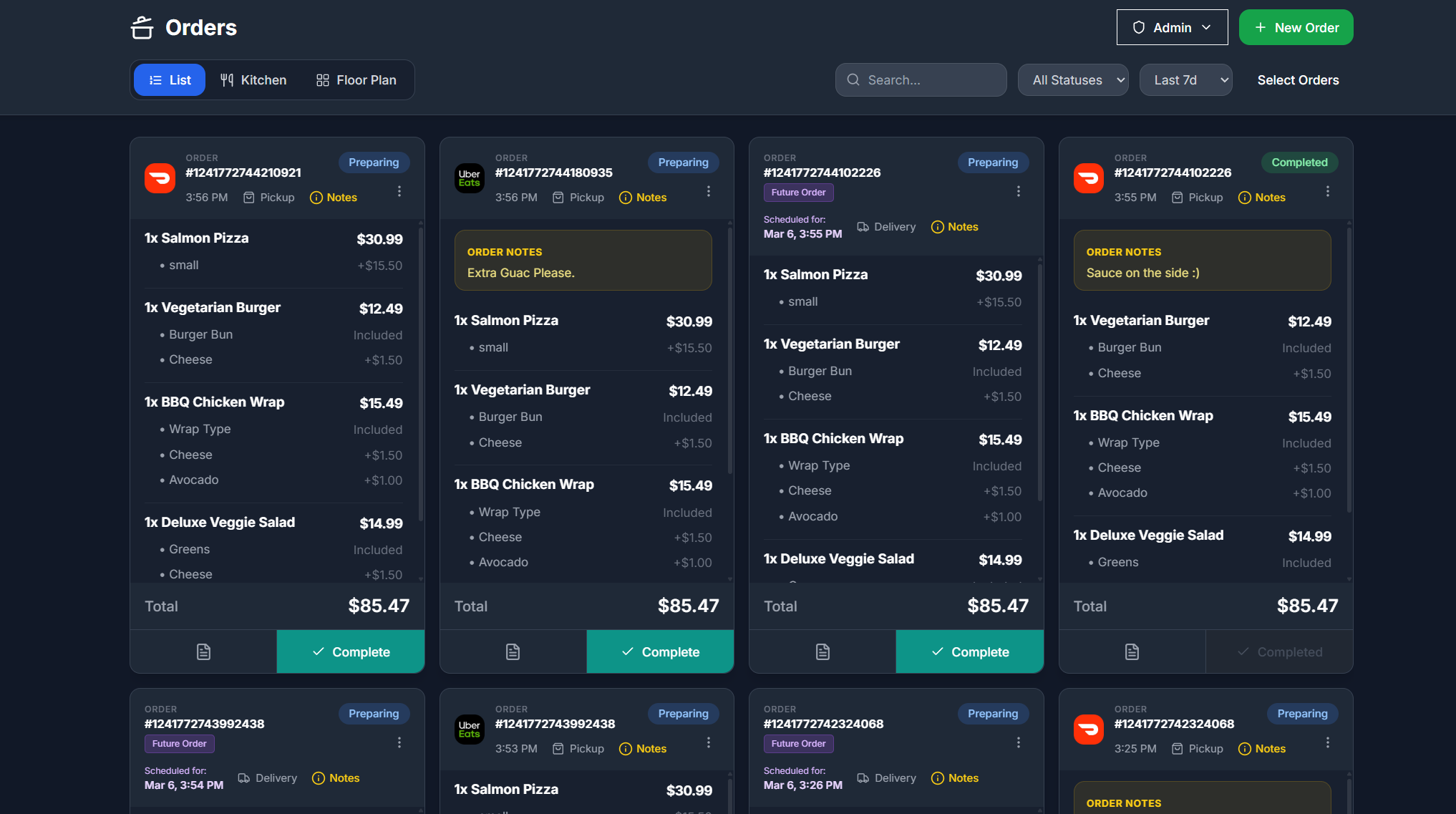
Counter, drive-thru, pickup, and delivery in one queue.
Dashi gives the team a shared operating view across order sources. That means fewer tabs, fewer missed modifiers, and a clearer handoff during the rush.
Fit matters
What to verify before you switch your counter POS.
If your concept uses highly specialized drive-through hardware or a custom franchise stack, bring the requirements list. We can confirm the workable path before you commit.
Comparing service styles? Start from the Dashi restaurant POS overview, which covers orders, payments, kitchen routing, and reporting across every service style.
Can online orders appear with counter orders?+
Dashi is designed to bring direct online and supported third-party orders into a unified operating queue alongside in-store orders.
Can staff mark an item unavailable during service?+
Yes. Menu availability can be updated when an item sells out, helping the team avoid taking orders it cannot fulfil.
Can orders route to different prep stations?+
Yes. Items can be directed to the appropriate kitchen display workflow so each station sees the work relevant to it.
Bring your current setup