
Restaurant Operations
What Is a Connected Restaurant POS System?
A practical Canadian restaurant POS guide: test how reservations, orders, payments and guest history connect before you choose a system.
The short answer
A connected restaurant POS system links orders, kitchen work, payments and guest records, with reservations and direct ordering connected where supported. The useful test is whether the next person in the workflow gets the right information without entering it again. One login alone does not prove that the systems work together.

What should a connected POS actually connect?
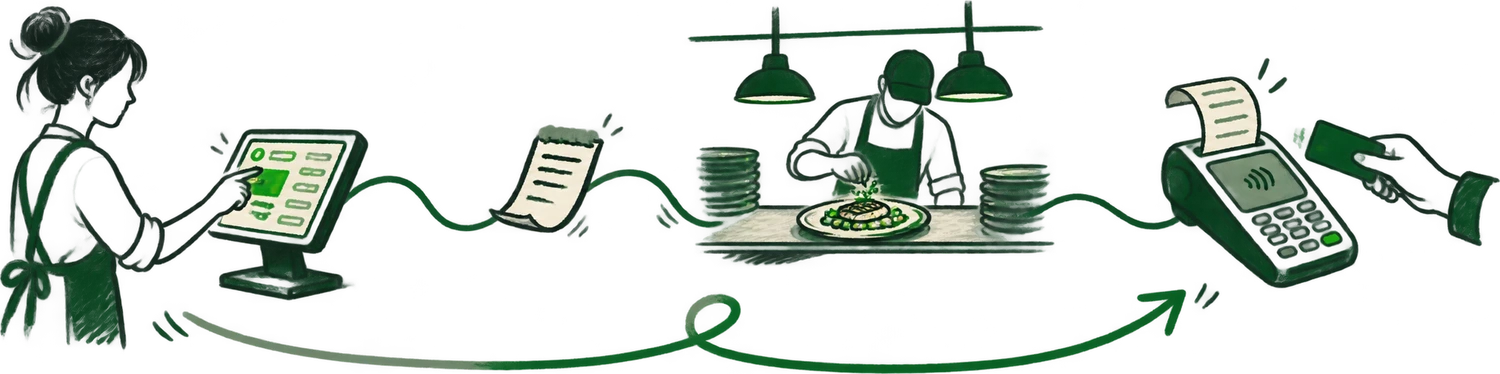
A guest books for Friday, orders dinner and pays. When they return, the host should be able to find the useful history from that visit. If the reservation stayed in one app and the order stayed in another, the restaurant still has to put the story together.
For an independent Canadian restaurant, evaluate the connections that affect your service: bookings to tables, orders to preparation stations, bills to payment terminals, and identifiable visits to guest profiles. A café with mostly counter service may need a different set of connections from a dining room with a waitlist.
Payment integration is one specific connection, not proof of an entire connected operation. Moneris describes its Go integration as connecting a POS or application to payment terminals. Reservations, kitchen routing and customer history still need their own demonstration.
A restaurant POS demo checklist you can reuse
Bring a small version of your real menu and ask the vendor to run a complete service. Use a test guest and test transactions. Record what works, what needs configuration and what requires another supplier.
| Connection | Ask the vendor to show | Watch for |
|---|---|---|
| Booking → table | Seat a booking and retrieve its guest notes. | A second search or manual copy of the guest details. |
| Order → kitchen | Send food and drinks with modifiers to the correct stations. | Missing modifiers, duplicate tickets or unclear order sources. |
| Bill → payment | Split a bill, send the amount to a supported terminal and close the check. | Manual amount entry or a payment result that does not reach the POS. |
| Visit → guest | Open the test guest's history after checkout. | An order with no connection to the identified guest. |
| Problem → recovery | Explain a failed connection, retry and refund. | No clear owner for support or reconciliation. |
This is Dashi's evaluation checklist, not a certification or an industry score. A system can be a good fit while needing a separate tool for a specialist workflow. The important thing is knowing where those boundaries are before service starts.
One platform or separate tools: which fits your restaurant?
A shared platform can reduce the number of places staff manage menus, orders and guest details. It can also make the restaurant more dependent on one provider. Ask how an outage affects each part of service and which records you can export.
Separate tools can make sense when a specialist reservation system, existing hardware or a particular delivery arrangement is essential. The tradeoff is maintaining those connections. Ask who fixes a missing order when the POS supplier and the integration supplier are different companies.
Do not assume “integrated” means every field travels in both directions. Write down whether each connection supports new orders, changes, cancellations, refunds, menu availability and guest details. Request the supported terminal models and payment setup for your location in writing.
When should a Canadian restaurant consider Dashi?
Dashi POS is a Toronto-built restaurant platform connecting POS operations with orders, payments and guest context. Dashi Orders brings supported order channels into the operational queue; Dashi Reserve handles reservations and table management. The purpose is to make the next interaction with the guest more informed.
Consider Dashi if your team is moving between disconnected order screens, you want reservations and guest history closer to service, and you prefer a Canadian team to work through the setup with you. Its published positioning includes flat monthly software pricing, no per-cover fees and no Dashi percentage commission on direct Dashi Online orders. Check current plans and inclusions; hardware, processing and optional delivery costs are separate.
Dashi may not be the right fit if keeping an unsupported payment device or a particular third-party workflow is a requirement. A feature list cannot settle that question. Bring the required hardware, channels and service scenarios to a demo and ask the team to confirm support.
What to settle before changing systems
Start with the shift, not the subscription. Make a list of the jobs that must keep working: opening checks, sending modifiers, taking payment, handling pickup and closing the day. Assign a person to each job during training.
- Agree on the menu, modifiers, table layout, printers and kitchen stations to migrate.
- Confirm which historical records can move, which stay in the old system and how you will access them.
- Run a rehearsal covering a split bill, refund, unavailable dish, changed booking and delayed order.
- Write down the launch contact, support hours, fallback process and criteria for postponing the switch.
A successful demo is evidence about the workflow you tested. It is not evidence about every connection your restaurant might use. Keep the test results and the written setup scope together so your staff can prepare for the service they will actually run.
Common questions
Is a connected POS the same as an all-in-one POS?
The terms can overlap, but neither guarantees a complete workflow. Test which information moves between reservations, orders, payments and guest history, and identify any separate tools or manual steps.
Can a restaurant use Dashi Reserve without changing its POS?
Dashi offers Reserve as a standalone reservation and table-management option. Standalone reservations do not automatically mean the existing POS shares its order and payment history; confirm the scope of the setup with Dashi.
Does connected restaurant software work offline?
Offline behaviour depends on the product, device and connection. Ask the vendor to demonstrate what happens to ordering, payment and recovery during an outage rather than assuming every connected feature remains available.
Sources and editorial notes
Prepared September 10, 2026. External sources were checked on that date. Dashi product references reflect the site content prepared for this release. Confirm current plans, supported integrations and launch scope before choosing a system.
- Dashi restaurant POS. First-party platform scope and restaurant workflows.
- Dashi Orders. First-party order consolidation and kitchen workflow.
- Dashi pricing. Current plans, inclusions and separate costs.
- Moneris Go integration overview. Primary documentation for the payment-integration distinction; not an endorsement of Dashi.
No customer outcomes, comparative rankings or performance guarantees are asserted in this guide. Have a correction? Contact the Dashi team.